The short answer
Plan for 4 Mbps download and 4 Mbps upload for each video call, plus everyday use. Zoom lists 3.8 Mbps up and 3.0 Mbps down for a 1080p call, Google Meet up to 3.6 Mbps each way and Microsoft Teams up to 4 Mbps each way.
Two people on calls at once, with HD video on in the background and regular cloud backups, need about 25 Mbps download and 25 Mbps upload. Upload is usually the limit, not download.
What the video call platforms ask for
| Platform and quality | Upload | Download |
|---|---|---|
| Zoom, 1080p video | 3.8 Mbps | 3.0 Mbps |
| Zoom, 720p group call | 2.6 Mbps | 1.8 Mbps |
| Google Meet, 1080p video | up to 3.6 Mbps | up to 3.6 Mbps |
| Google Meet, 720p video | up to 1.7 Mbps | up to 1.7 Mbps |
| Microsoft Teams, one-to-one video (recommended) | 1.5 Mbps | 1.5 Mbps |
| Microsoft Teams, meeting video (recommended) | 2.5 Mbps | 4.0 Mbps |
| Microsoft Teams, best performance | 4.0 Mbps | 4.0 Mbps |
Figures published by Zoom, Google and Microsoft, checked 16 November 2026. RightSpeed plans at 4 Mbps each way per call.
Worked example
Two people working from home
Two video calls at once, HD video in the background and regular cloud backups.
- 2 x person online4 down, 1 up
- 1 x HD stream5 down, 0 up
- 2 x video call8 down, 8 up
- Regular uploads and backups0 down, 10 up
- Everything at once17 down, 19 up
- With 30% headroom, rounded up25 down, 25 up

Why upload decides your call quality
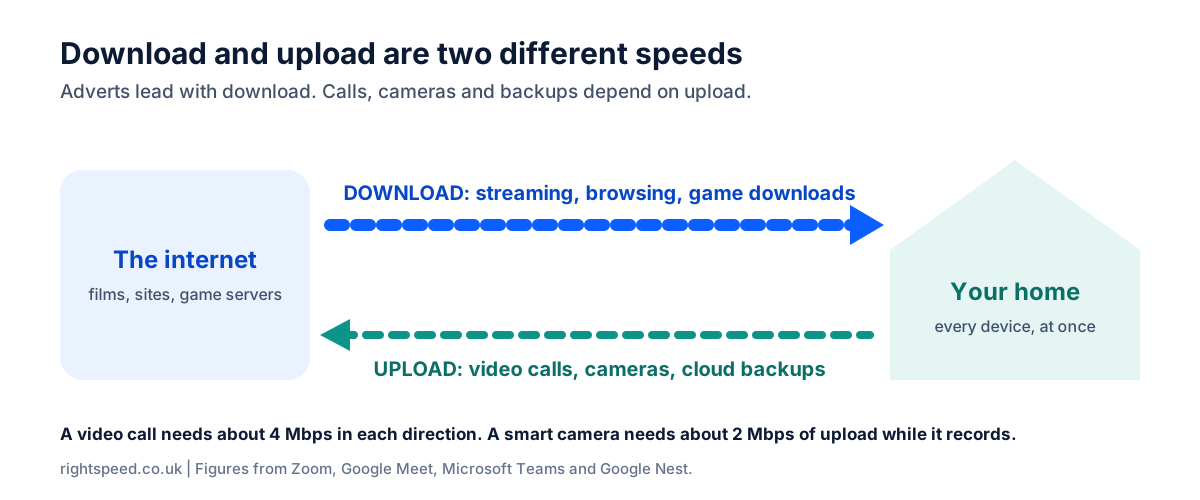
When you watch a film, data only flows one way. On a call, your camera sends as much as it receives. If the upload is too small, you look frozen to everyone else even though they look fine to you.
A frozen call is not always your package
Before you change provider, test your speed next to the router with UKSpeedTest, then at your desk. A big gap means Wi-Fi is the weak link, and RouterMap can help. BroadbandSwitch.uk has a full guide to broadband for home working.
Common questions
Is 30 Mbps enough to work from home?
For download, yes. With headroom, 30 Mbps has room for two video calls, an HD stream and three people browsing. Check the upload on the package, because two calls with backups running need more upload than some 30 Mbps packages offer.
What upload speed do I need for Zoom or Teams?
Zoom lists 3.8 Mbps of upload for 1080p video and Microsoft Teams up to 4 Mbps. Allow 4 Mbps per call, then add 30% headroom.
Do I need business broadband to work from home?
Not for speed. Business packages mainly add faster fault fixing and support. BroadbandSwitch.uk compares home and business broadband.
Why do I freeze on calls when my speed test looks fine?
A speed test near the router can look fine while the Wi-Fi at your desk is weak. Test in both places. If they differ a lot, moving the router or using a cable will help more than a faster package.
Sources
Checked against each source on 16 November 2026.
- Google. (n.d.-b). Prepare your network for Meet meetings & live streams. Google Workspace Admin Help. Retrieved 16 November 2026, from https://support.google.com/a/answer/1279090?hl=en
- Microsoft. (2026, May 26). Prepare your organization's network for Teams. Microsoft Learn. https://learn.microsoft.com/en-us/microsoftteams/prepare-network
- Zoom. (n.d.). Zoom system requirements: Windows, macOS, Linux. Zoom Support. Retrieved 16 November 2026, from https://support.zoom.com/hc/en/article?id=zm_kb&sysparm_article=KB0060748